Case study · Team project
Space Bar Simulator
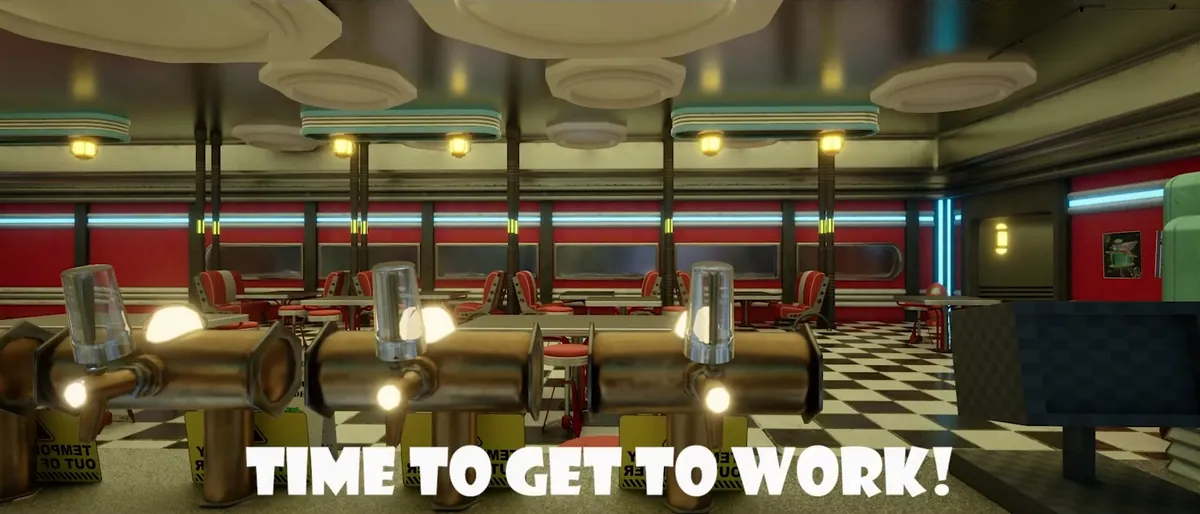
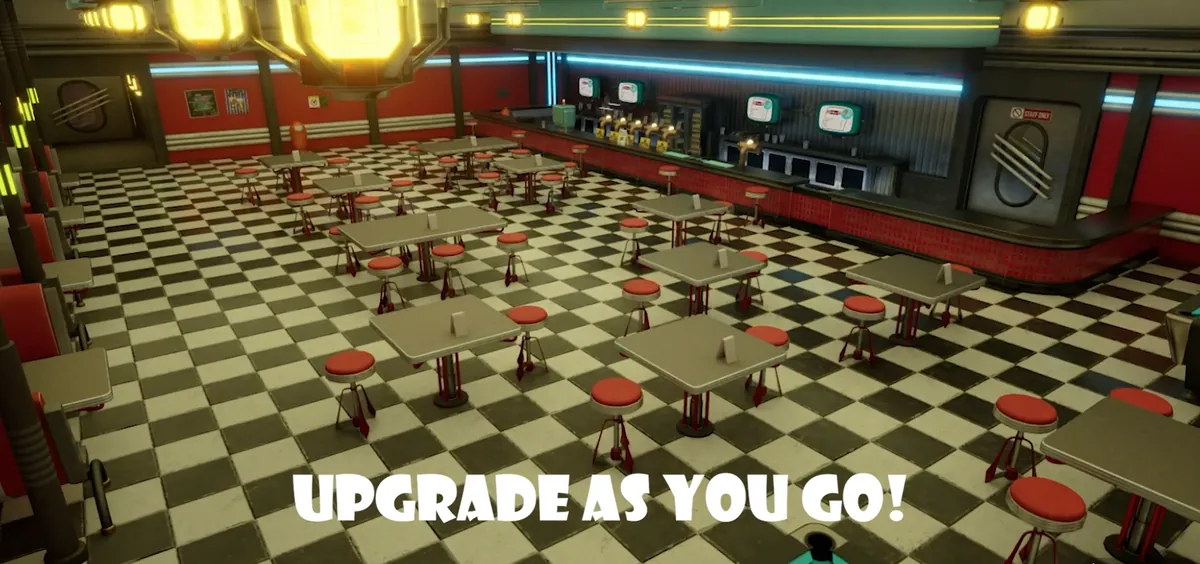
A retro futurist bar simulator set on its own asteroid: a 1950s diner drifting through space, where you serve alien customers against the clock. Built by a team of ten for Beta Arcade, Teesside's studio simulation module. I was a gameplay programmer on the team, and this page covers the systems I owned: the player controller, the interaction architecture and the interactive stations.
- RoleGameplay programmer
- EngineUnreal Engine 5
- Team10 people
- ModuleBeta Arcade, final year
Overview
Serving aliens against the clock
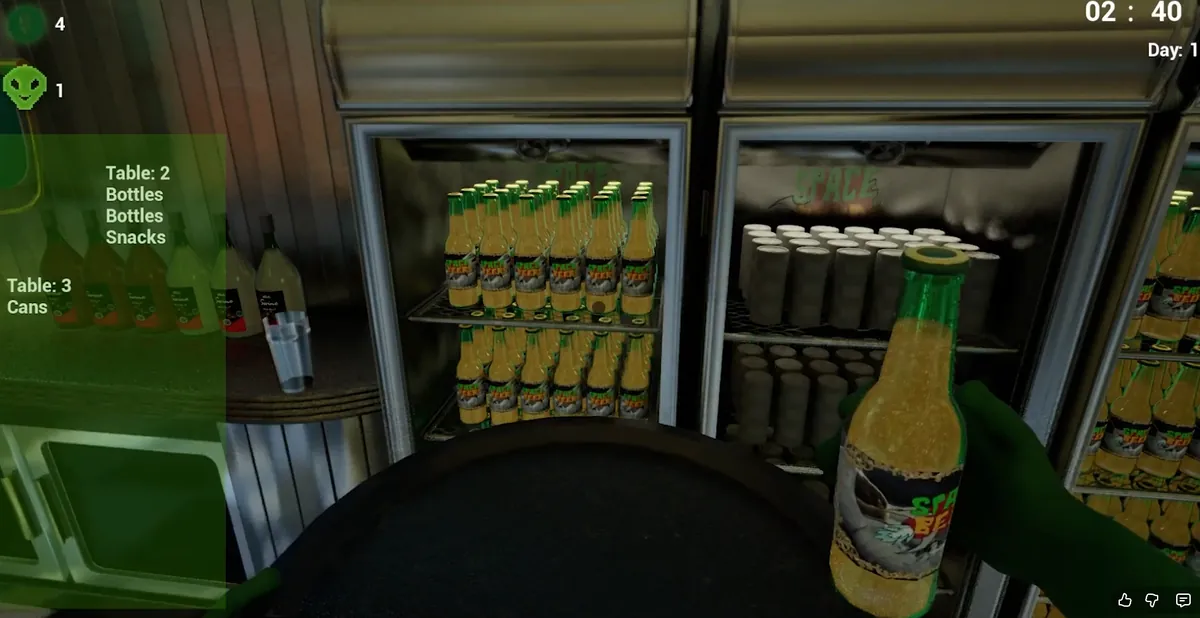
Space Bar Simulator is a first-person bar sim: customers sit down, orders come in, and you pour drinks, load trays and keep the diner running while the day timer counts down. It was built across a full semester by a ten-person team of designers, artists and developers, working in Unreal Engine 5 with Git feature branches and a shared project tracker.
I worked on the gameplay core: the player controller and character movement, the interaction system every prop plugs into, the camera-blended stations like the beer taps, and the UI computer terminal used for upgrades.
Input
Player controller on Enhanced Input
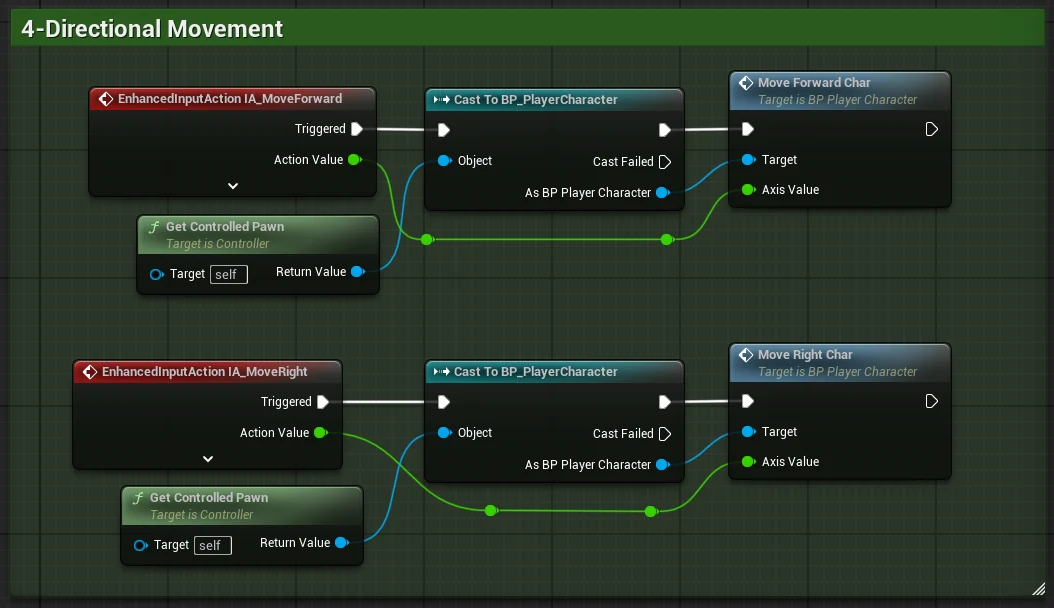
The controller is built on UE5's Enhanced Input System. On BeginPlay it applies the mapping context that switches the bindings on, then routes every action (move, look, interact, drop) through to the character class.
The split between the two blueprints is deliberate separation of concerns: the controller only captures and routes input, while the character owns the actual movement logic, converting inputs into world-space movement along its own forward and right vectors so movement always follows where the player is facing.
Interaction
One interface for every interactable
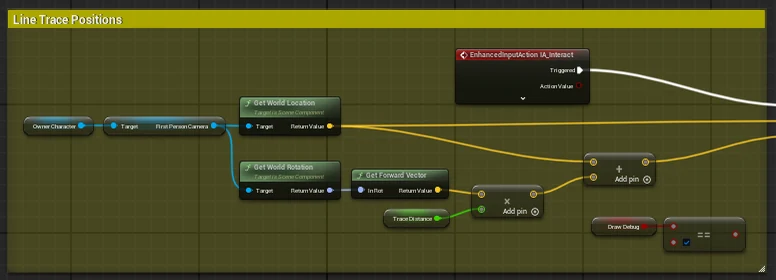
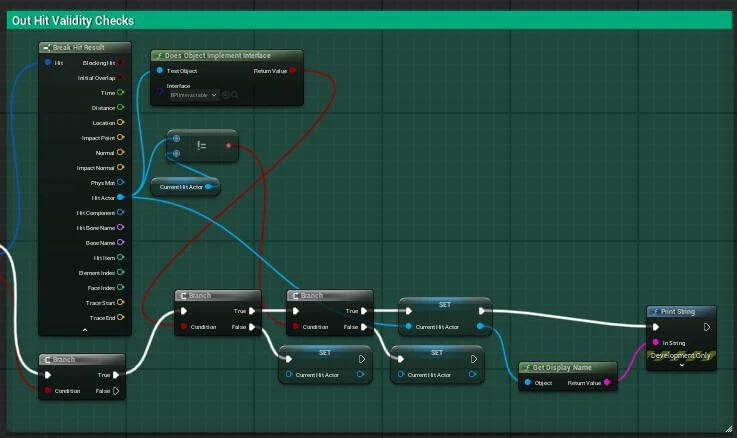
Interaction lives in a dedicated actor component on the character, so the system bolts on without rewriting the player. When the interact key is pressed, a line trace fires from the first-person camera along the look direction, so the interaction lands exactly where the player is aiming.
Early on, the player cast to each object type it wanted to interact with. That kind of tight coupling was already making the graphs messy, and in a ten person project it would have meant constant merge conflicts. I replaced it with BPI_Interactable, a Blueprint interface with a single Interact() function. The trace just checks whether the hit actor implements the interface, and the object handles the rest itself.
This meant the rest of the team could add interactable props like beer taps, computers and trays without ever touching the player character. Once the system was in, I also taught the team how to use it so everyone could build against it.
Stations
Stations that borrow the camera
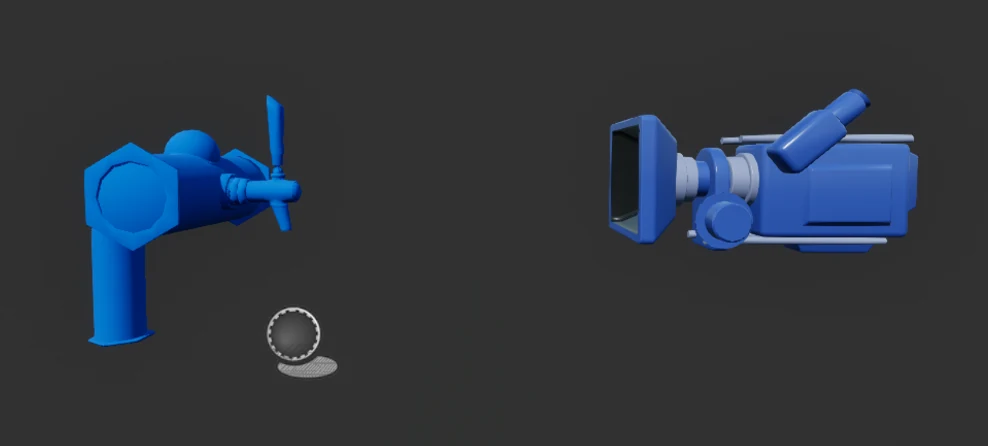
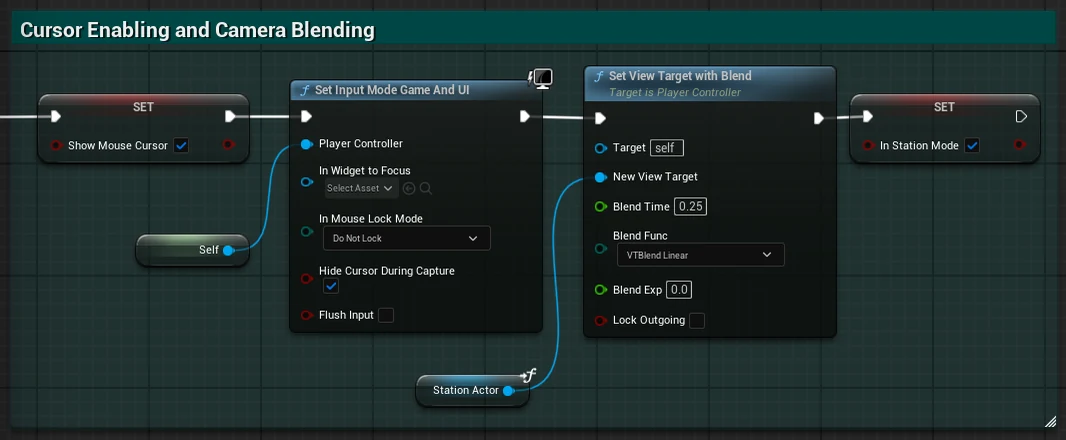
Some interactables, like the beer taps and the computer, zoom the player in for a closer interaction. The station system handles that context switch: it caches the player's current view as the return target, locks movement and look input, then uses Set View Target with Blend to interpolate the camera smoothly onto the station's fixed camera and shows the mouse cursor for UI interaction.
Exiting reverses the process: the camera blends back to the stored view target, the cursor is hidden, and input is only restored once the blend has begun. Early versions let players walk around while the camera was fixed on a beer tap, and debugging that taught me how much good gameplay code comes down to strict state management.
UI
The computer terminal
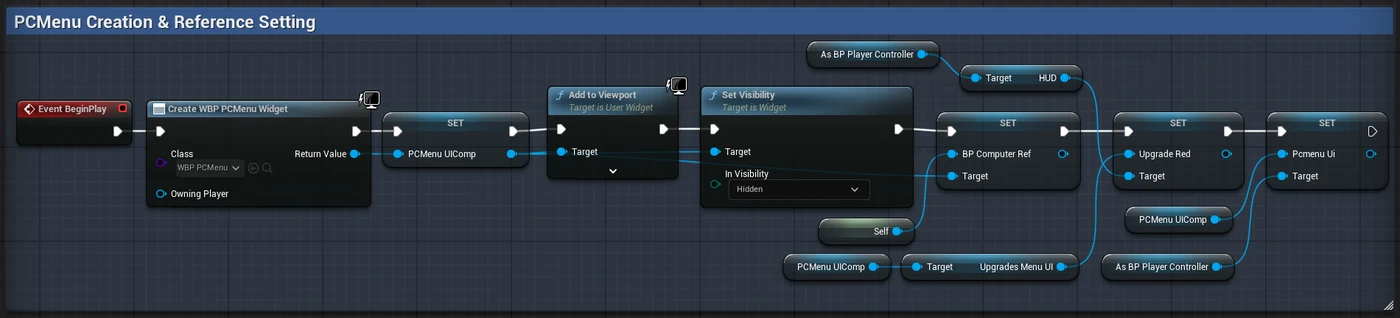
The in-game computer is a station with a full menu system on it, used to buy upgrades between shifts. Rather than creating widgets every time the screen opens, the menus, sub-menus and HUD references are all created once on BeginPlay and cached, then shown and hidden with visibility toggles. Opening the computer is just a visibility swap, so nothing gets recreated or leaked.
Navigation works the same way: "Go For Upgrades" hides the main menu container and reveals the upgrades menu, and the back button calls straight into the station system's exit flow, blending the camera back to first person and restoring the gameplay HUD.
Teamwork
Working in a team of ten
This was the closest thing to studio development I had at university: tasks tracked per discipline, near-weekly team meetings, and Git feature branches that kept merge conflicts rare. My role was closest to a technical designer's. I built gameplay systems, then taught them back to the team so designers and artists could work with them independently.
- Component-based interaction that any prop adopts by implementing one interface.
- Camera and input state management across first-person and station contexts.
- Widget caching and visibility-state UI for the upgrade terminal.
- Designed and built each system, then demonstrated it to the team.